 Vyoma
Vyoma NEW NAME Arka AI is now Helix
Helix.
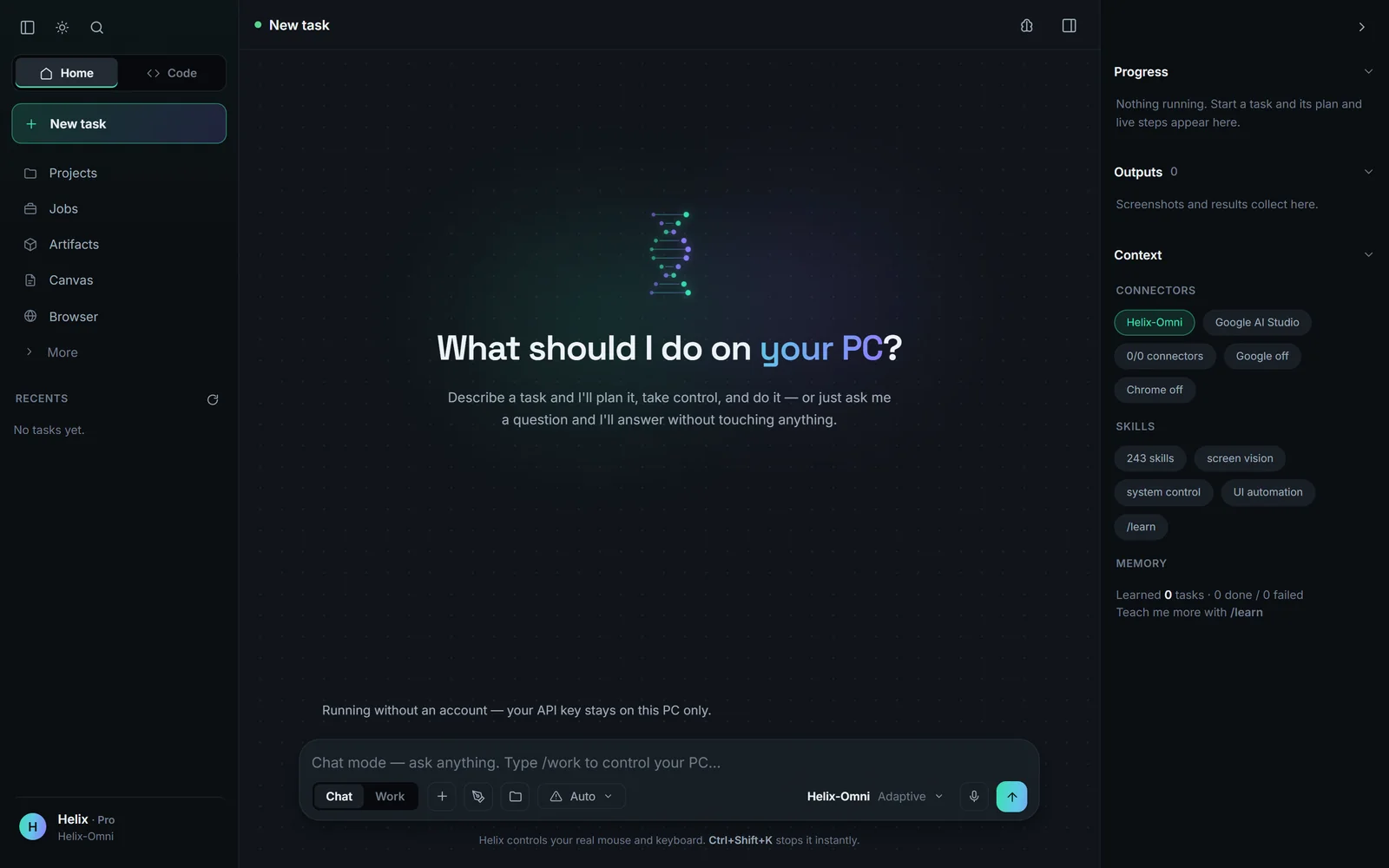
The AI that thinks with you — and actually uses your PC.
Arka grew up. One Helix now answers, explains and creates in your browser, and on Windows it opens the app, runs the command, reads the page and comes back with the answer — while you watch every step.
Free · Helix web runs anywhere · Helix for Windows is in public beta
An ecosystem, not an app.
One account and one Google sign-in across six surfaces. Your key, your devices and your history follow you.
Helix web
Think in your browser: reasoning, images and PDFs, code, memory and projects. Free, on any device.
v1.22.0BetaHelix for Windows
The AI that actually uses your PC: opens apps, runs commands, reads pages and checks its own work.
in the appBetaHelix Code
A coding agent that plans, edits, checks every file, runs your tests and reviews its own diff.
3.3 MBBetaAndroid app
Send tasks from anywhere, approve steps, watch them land — or take the screen and drive it by touch.
114 KBBetaChrome extension
A side panel beside the page you are reading. Helix works in a tab of its own and never takes your mouse.
512 MB RAMBetaHelix on your server
Your agents, 24/7, on a VPS you rent for the price of a coffee. One command, back by itself after a reboot.
Most assistants tell you how. Helix does it.
Describe a task in plain words — or say it out loud. Helix plans it, picks the cheapest way to do each step, does it on your own machine with your own accounts, and checks the result before it says done.
- Learns your routines. Do something twice and next time it runs in about a second, with no model call — through the same checks.
- Clicks the right thing. Controls get numbered tags, so it picks “#5”, not a guessed pixel.
- Proof on every step. “Window Notepad is open”, “report.txt is on disk” — when it can check, the card shows how.
- Keeps working while you talk. Ask questions mid-task; anything else that needs the PC is queued.
It reaches for the cheapest surface first
Seconds to finish a task, before and after
The same requests on the same Windows 11 PC, from Helix’s own timing log. Lower is better.
View as table
| Task | Before | Now |
|---|---|---|
| Open Notepad and type | 240 s | 2 s |
| Pause the music | 90 s | 1 s |
| Answer from Wikipedia | 101 s | 45 s |
| Today's weather | 162 s | 34 s |
Source: Helix benchmarks
Twelve releases in six weeks
Changes listed in each Helix for Windows release, September 2 to October 10, 2026.
View as table
| Release | Changes listed |
|---|---|
| v1.15.1 | 1 |
| v1.16.0 | 9 |
| v1.16.1 | 1 |
| v1.16.2 | 6 |
| v1.17.0 | 101 |
| v1.18.0 | 26 |
| v1.19.0 | 21 |
| v1.19.1 | 4 |
| v1.20.0 | 4 |
| v1.20.1 | 4 |
| v1.21.0 | 3 |
| v1.22.0 | 15 |
Source: Helix changelog · release.json
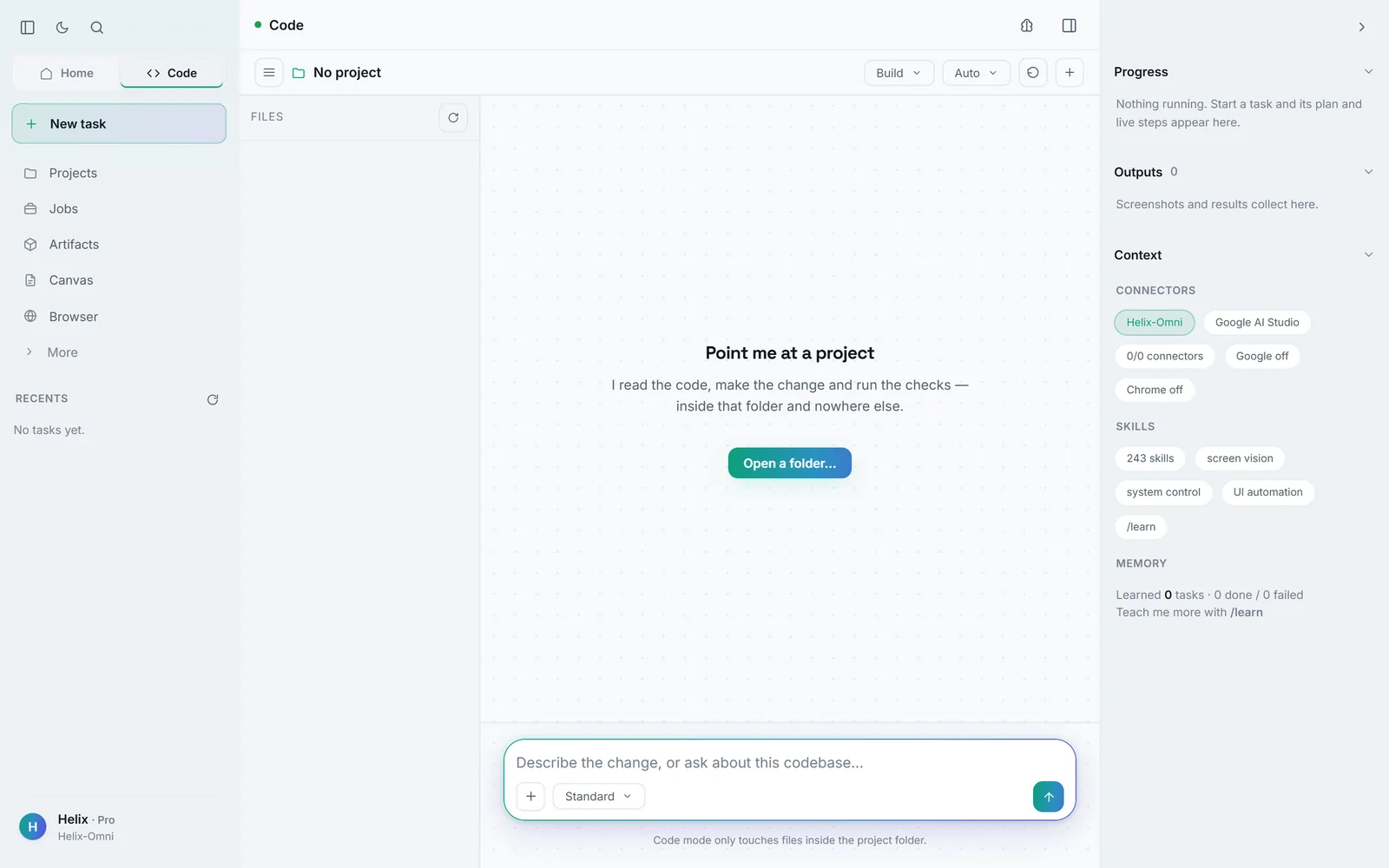
A coding agent that proves its work.
Point it at a project and describe the change. It plans, edits, checks each file the moment it is written, runs your tests and reviews its own diff — inside that folder and nowhere else.
- Four modes: Build, Plan, Ask and Review.
- Five permission settings, from Manual to Bypass — decided by rules, so asking costs no tokens.
- Review and undo any change, file or whole turn, hunk by hunk.
- Test-first fixes, a ranked repo map, missions in their own git worktrees, MCP servers and plugins.
- Bring a stronger model — your own Claude or OpenAI-compatible key — for planning and review.
Drive it from anywhere.
The desktop app is where the work happens. Everything else is a remote control.
- Android app — send a task from anywhere, approve steps, watch it happen, or take the screen and tap to click.
- Voice — say “Hey Helix”, or start a call; it answers out loud and keeps working.
- Chrome extension — a side panel beside the page; Helix works in its own tab.
- Telegram, Discord and Slack — message it like a colleague; scheduled jobs run unattended.
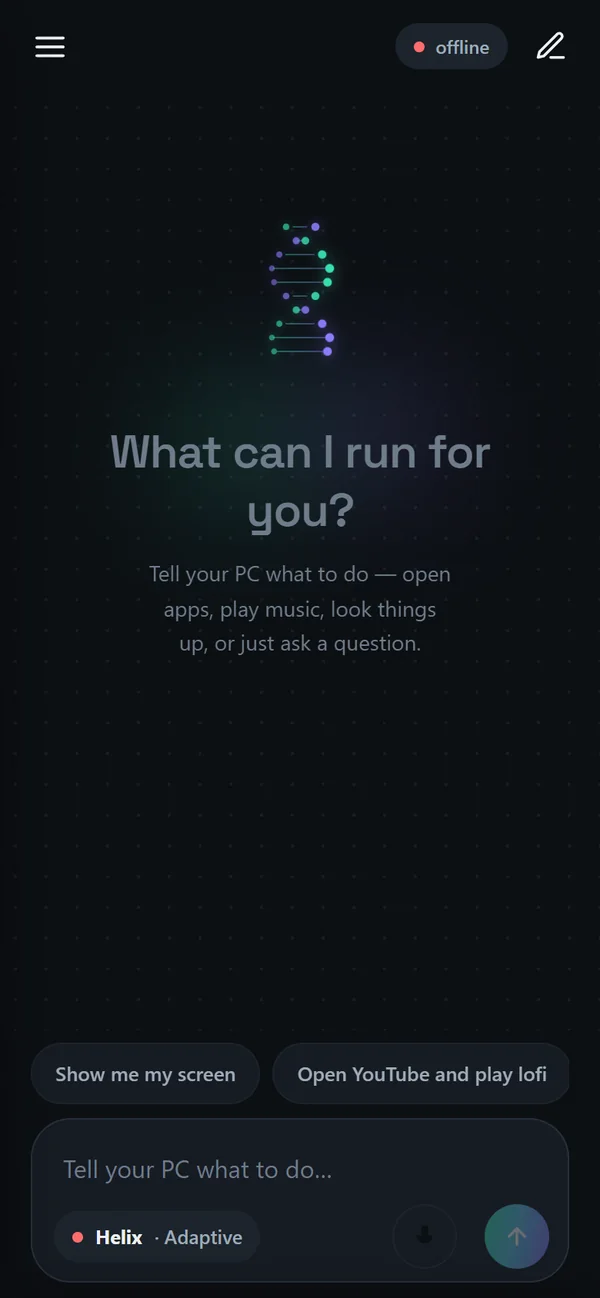
Agents that work while your laptop sleeps.
Rent the cheapest VPS you can find and Helix researches, codes, answers mail and keeps to a schedule 24/7 — on a box nobody else has a key to. The whole install is 38 MB.
- Any Linux with systemd — Debian, Ubuntu, Alma, Rocky, Fedora
- 512 MB RAM, 2 GB disk, 1 vCPU is enough
- Sign it in with a code: run
helix linkand approve it on your phone
Example code. Only approve a code you can see on your own screen.
Powerful — and always yours to stop.
Helix acts on your real computer, so the rules are built into the code, not left to a prompt.
Halts Helix instantly from anywhere and releases the mouse and keyboard.
Reading is free. Sending, buying, deleting and powering off wait for your yes.
It never types your passwords or card numbers and never gets round bot checks — it hands those moments to you.
A live trace, every step on a card, and a glowing frame whenever it uses your screen.
“Don’t send anything” binds every step of the task, checked before each action.
Each update is verified by checksum; a failed one puts the previous version back.
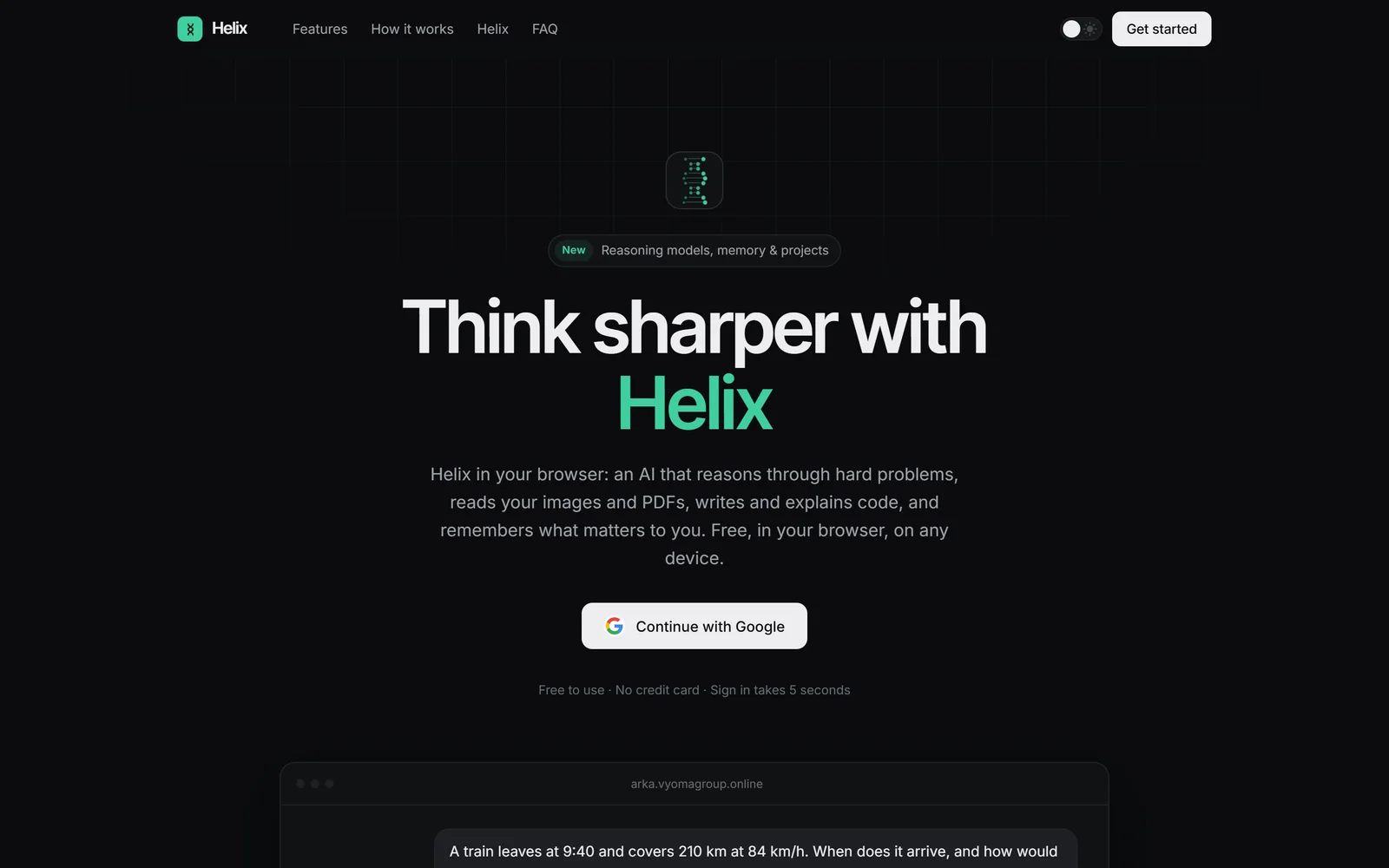
Think sharper, in any browser.
Everything Arka did, under its new name: deep reasoning, image and PDF analysis, code help, memory you control, projects, five response styles — powered by our Helix 1 model.
Join the beta. Help shape Helix.
Helix acts on a real computer, so we are shipping it as a public beta while it earns your trust. It is free, it updates itself, and every release is checked against its SHA-256 before it runs.
- Download HelixSetup.exe (125.5 MB) and run it — it installs just for you, no administrator rights.
- If Windows says “Windows protected your PC”, choose More info → Run anyway: the installer isn’t code-signed yet.
- Sign in with Google. Your key and your devices follow the account.
- Want the newest work first? Turn on Settings → Try beta builds and Helix offers pre-release builds as they ship. Stable installs are never offered one.
- Tell us what breaks: support@vyomagroup.online.
Check it in PowerShell: Get-FileHash .\HelixSetup.exe
Hand it the busywork.
Read the full guide, the story behind the new name, or Helix’s own engineering pages.