← All docs
Docs · v0.1.2 early access

Glint docs

Everything about Glint, the fast Minecraft: Java Edition launcher — from your first launch to instances, mods, tuning, shaders and Crash Doctor.

Browse topics

01 / 09

Getting started

4 articles

#What is Glint?

A small, fast launcher for Minecraft: Java Edition that tunes itself to your PC and turns on shaders with one click.

Glint does the fiddly parts of PC Minecraft for you: it downloads the exact Java each version needs, gives the game a sensible amount of memory, installs performance mods, and sets up shaders that run on everyday laptops. Then it gets out of the way while you play.

WhatDetails
PlatformWindows 10 and 11, 64-bit
Installer4.75 MB
Minecraft versionsReleases, snapshots and old alpha/beta — 1.8.9 to 26.x
Mod loadersFabric, Quilt, NeoForge and Forge (1.13+)
StatusEarly access · v0.1.2 · free
Honest note

Glint is not an official Minecraft product. It is not approved by or associated with Mojang or Microsoft. You need to own Minecraft: Java Edition.

#Download and install

One small installer. Windows may warn you the first time, because it isn’t code-signed yet.

  1. Download Glint 0.1.2 (4.75 MB).
  2. Open Glint-Setup-0.1.2.exe.
  3. If Windows says “Windows protected your PC”, choose More info → Run anyway.
  4. Follow the installer, then open Glint from the Start menu.

Want to check the file first? Its SHA-256 is:

07edf69f383353e3bc22d7c08ada1daf5ed536c36134b9189782f2a739d52cbe

In PowerShell, run Get-FileHash .\Glint-Setup-0.1.2.exe — the hash should match exactly.

#Your first launch

Three quick steps: who’s playing, a scan of your PC, then your setup is ready.

  1. Who’s playing? Pick a username to play offline, or add a Microsoft account (see Accounts). You can add more later.
  2. Getting to know your PC. Glint scans your CPU, graphics and memory — no admin rights needed.
  3. Your setup is ready. Check the version, memory, performance pack and shaders it picked, then start.

The first start downloads the game, Java and mods once — about 1–3 minutes. After that, launches are quick.

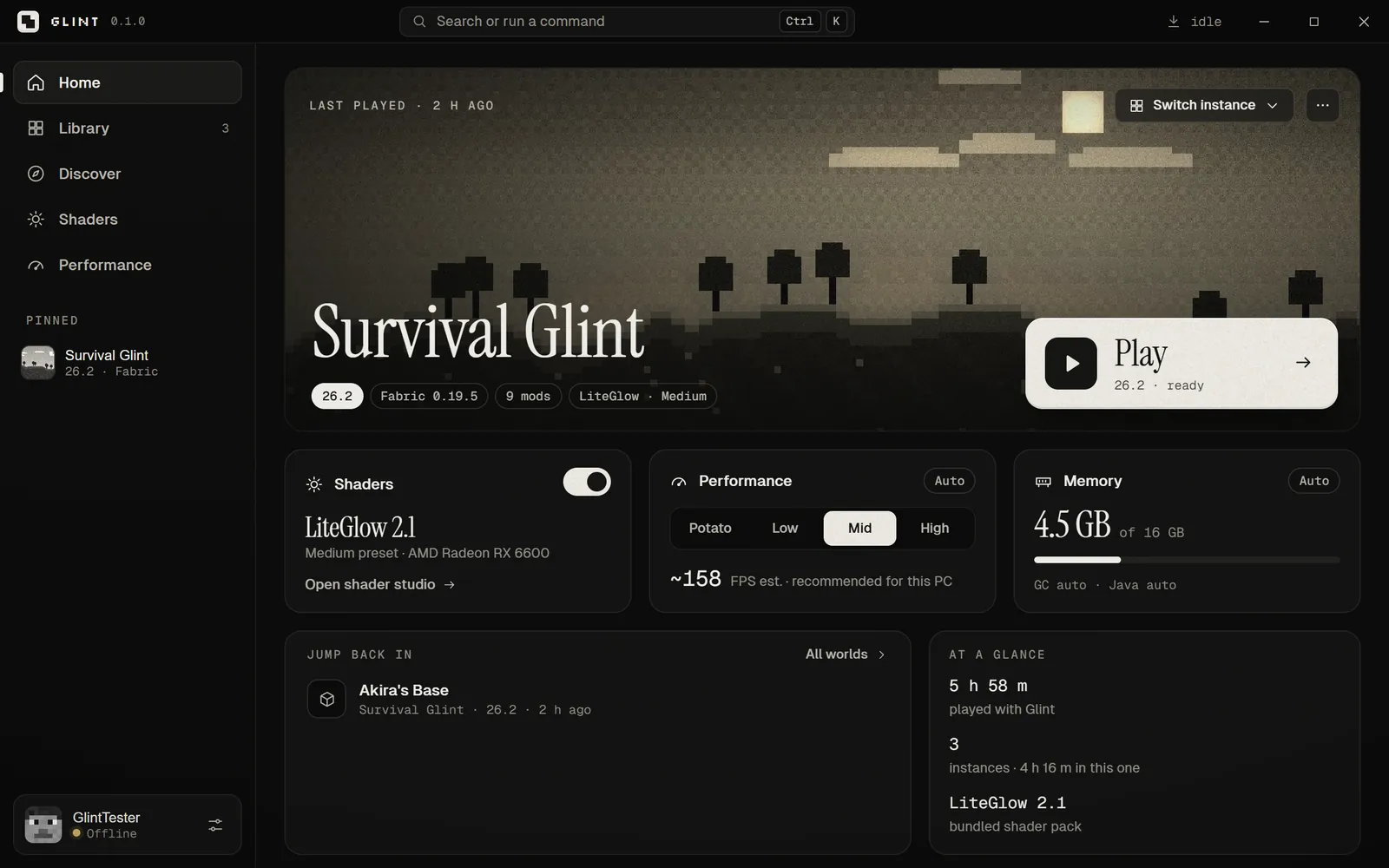
Glint’s home screen with a play button and recent instances

#A quick tour

Six places in the sidebar, plus a command palette for everything.

PageWhat it’s for
HomeYour last instance and a big Play button.
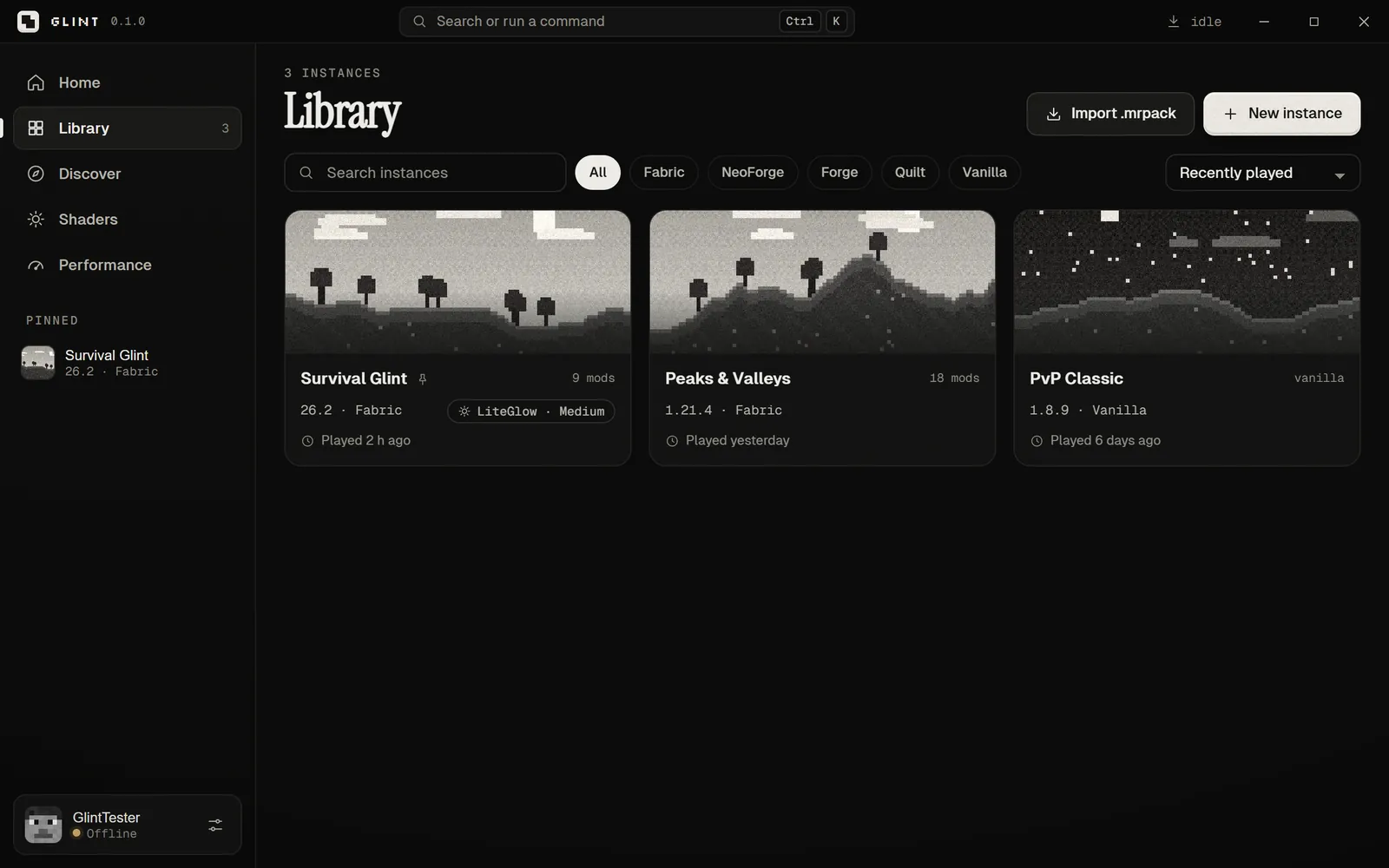
LibraryAll your instances. Create one or import a modpack.
DiscoverSearch Modrinth for mods, modpacks, shaders and resource packs.
ShadersThe shader studio: one switch and a quality picker.
PerformanceYour PC’s tier, memory, garbage collector and performance pack.
SettingsLauncher options, data folder, updates and more.
Glint’s library of Minecraft instances

02 / 09

Instances & versions

6 articles

#Create an instance

An instance is one Minecraft setup — its own version, mods, worlds and settings.

  1. Press New instance (or Ctrl+N).
  2. Name it and pick a version — Latest is the newest release.
  3. Pick a mod loader (or Vanilla) and its version — Latest stable is right for most people.
  4. Under Set up for me, leave Performance pack and One-click shaders on.
  5. Optional: Copy settings — keybinds, video and sound — from another instance.

Each instance keeps its own mods and worlds, so a vanilla survival world and a heavily modded one can live side by side.

#Versions and Java

Glint downloads the exact Java each version needs — you never install Java yourself.

Which Java each Minecraft version needs

Glint picks it for you, from Mojang’s own Java runtimes (Adoptium as a fallback).

01020308≤ 1.16171.17–1.20.4211.20.5–1.212526.x
View as table
MinecraftJava
Minecraft ≤ 1.16Java 8
Minecraft 1.17–1.20.4Java 17
Minecraft 1.20.5–1.21Java 21
Minecraft 26.xJava 25

Source: Mojang version metadata, as used by Glint

Game files come straight from Mojang. To use your own Java instead, set it per instance under Instance settings.

#Inside an instance

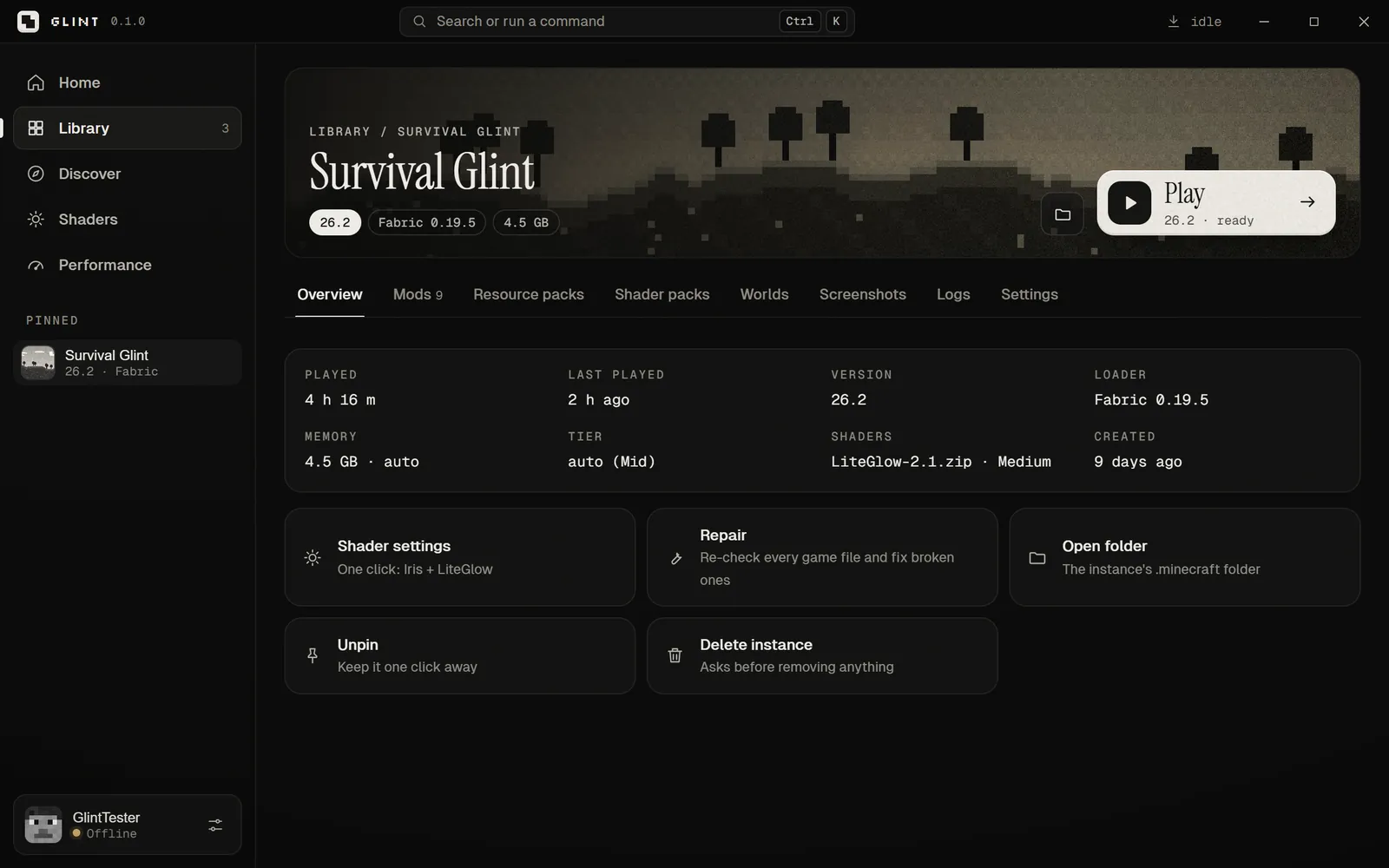
Overview, Content, Worlds, Screenshots, Logs and Settings.

TabWhat’s there
OverviewVersion, loader and Play. Switch a vanilla instance to Fabric here — your worlds stay.
ContentMods, resource packs and shader packs. Turn each on or off, or drop files onto the window.
WorldsYour worlds with quick play, plus Join a server directly.
ScreenshotsA gallery of everything you’ve captured in game.
LogsA live log viewer while the game runs.
SettingsName, cover, memory, garbage collector, Java and extra JVM arguments.
A Glint instance page with its tabs

#Quick play

Jump straight into a world or a server, skipping the menus.

Open an instance’s Worlds tab and press Play next to a world — the game opens straight into it. To go straight to a server, type its address under Join a server directly and press Join. Worlds you create in game appear here automatically.

#Instance settings

Memory, garbage collector, Java and JVM arguments — per instance.

SettingWhat it does
MemoryAuto uses your tier’s amount. Set it yourself if a modpack asks for more.
Garbage collectorAuto uses ZGC on Java 21+ with 6 GB or more, otherwise a tuned G1.
JavaLeave it to Glint, or Browse to your own java.exe.
Extra JVM argumentsAdded after Glint’s tuned flags. Leave empty unless you know you need them.

#Fast launches and Repair

Warm launches only check file sizes — about 0.2 seconds for 4,000 files.

A full check of every file is slow, so on a normal launch Glint only compares file sizes. If something seems broken — missing textures, a crash right at start — use Repair, which re-hashes every file and re-downloads anything that doesn’t match. To do the full check every time, turn on Settings → Verify files on every launch.

03 / 09

Mods & Modrinth

4 articles

#Mod loaders

Fabric, Quilt, NeoForge and Forge — with the loader version picked for you.

LoaderGood forOne-click shaders
FabricPerformance mods and most modern modsYes
QuiltFabric-compatible modsYes
NeoForgeBig modern modpacksYes
Forge (1.13+)Classic modpacksNo — Iris has no Forge build

Forge and NeoForge run their official installers in the background — you never see an installer window.

#Find and install mods

Search Modrinth from inside Glint — dependencies are installed for you.

Open Discover to search Modrinth for mods, modpacks, shaders and resource packs. Pick an instance and install: anything a mod needs comes with it, and Glint checks for updates later. You can also drag files straight onto the Glint window.

#Import a modpack

Bring in a .mrpack from Modrinth or from a file.

In the Library, press Import .mrpack — or choose it when creating an instance. Files you already have are reused, so imports are quick.

#The performance pack

Seven community mods that make Minecraft faster without changing how it plays.

ModWhat it does
SodiumRewrites chunk rendering — usually the single biggest FPS gain.
LithiumSpeeds up game logic: mobs, physics, block ticks.
FerriteCoreCuts memory use.
ModernFixFaster loading, lower memory.
ImmediatelyFastFaster drawing of text, maps and the HUD.
EntityCullingSkips mobs and block entities you can’t see.
Dynamic FPSDrops to a few FPS when Minecraft isn’t focused, so your PC stays cool.

If a mod has no build for your version, Glint skips it and tells you. Add missing ones later from Performance → Install missing. The full story: how to get more FPS on a low-end PC.

04 / 09

Performance & tuning

5 articles

#How Glint picks your tier

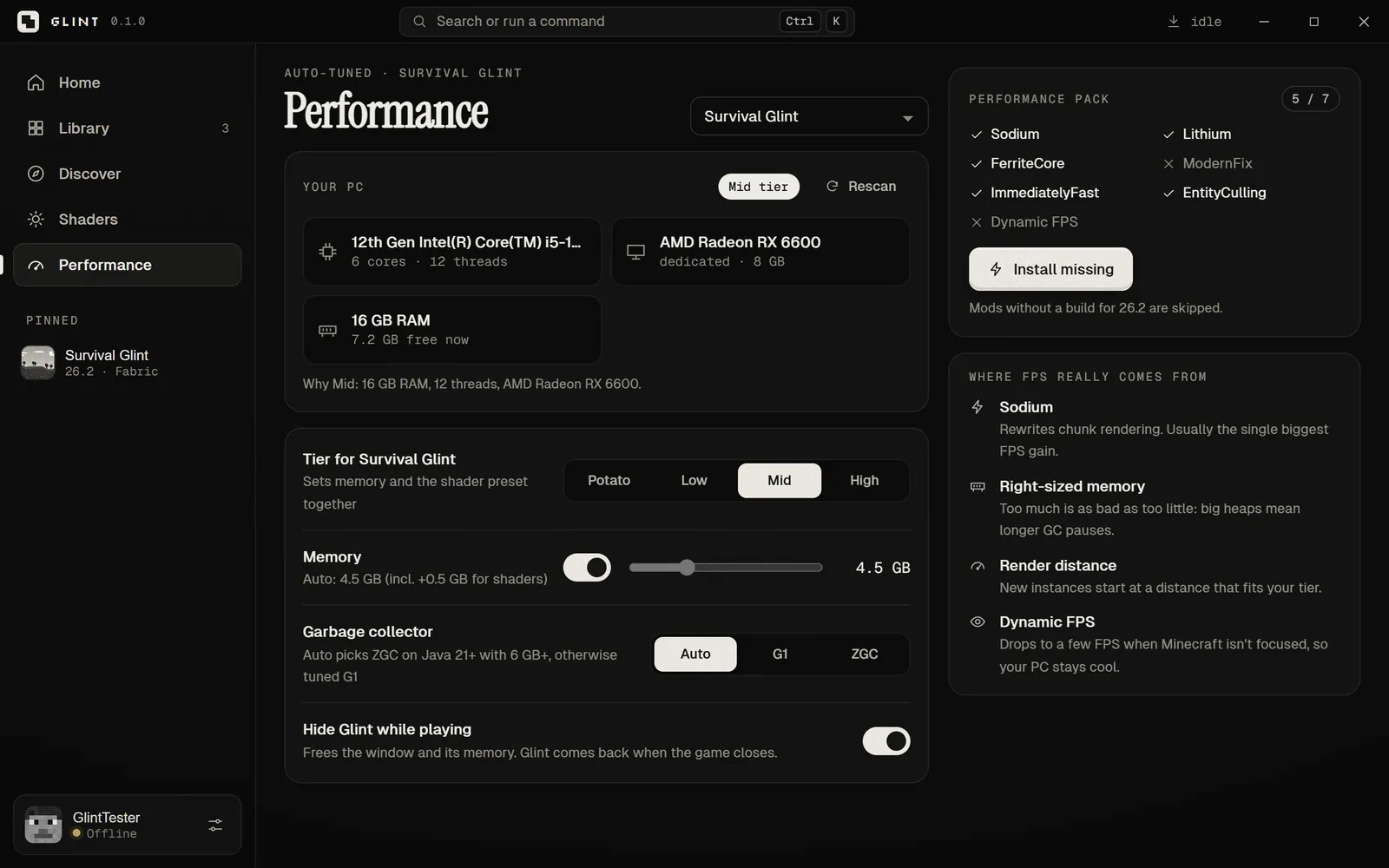
It reads your hardware and sorts your PC into Potato, Low, Mid or High.

TierYour PC
PotatoAbout 4 GB of RAM or less — or integrated graphics with only 2 threads
LowIntegrated graphics, or up to about 8 GB of RAM
MidA dedicated GPU with up to about 16 GB, or fewer than 8 threads
HighA dedicated GPU, more than 16 GB and 8+ threads

The tier sets memory, the shader preset and default game options together. Change it any time on the Performance page.

Glint’s performance page showing the detected PC, tier, memory and performance pack

#Memory

More isn’t faster. Glint gives Minecraft a right-sized amount and always leaves Windows room.

Memory Glint gives Minecraft, by tier

Defaults. Glint always leaves Windows at least 2.5 GB.

Potato1.5 GBLow3 GBMid4 GBHigh6 GB
View as table
TierMemory
Potato1.5 GB
Low3 GB
Mid4 GB
High6 GB

Source: Glint’s tuning engine

Too much memory is as bad as too little: big heaps mean longer garbage-collection pauses, which feel like stutter.

#Java flags and garbage collection

Tuned per Java version and memory size.

  • Tuned G1 for most PCs — Mojang’s own client defaults, with a region size that fits small heaps.
  • ZGC when you run Java 21+ with 6 GB or more (generational mode on Java 21–22), for shorter pauses.
  • Starting memory is half the maximum, so the game doesn’t grab everything at once.
Tip

Change the garbage collector per instance under Instance settings. Auto is right for almost everyone.

#Default game settings

New instances start with video settings that fit your tier.

TierRender distanceSimulationParticlesEntity shadowsBiome blend
Potato65MinimalOff0
Low86DecreasedOn1
Mid128AllOn2
High1610AllOn2

Every tier also turns off VSync and caps frames at 260. These are starting points — change anything in Minecraft’s own Video Settings.

#Hide Glint while playing

The window closes to the tray and comes back when the game exits.

It frees Glint’s window and memory for the game. If the game crashes, Glint comes back so Crash Doctor can help. Switch it under Settings → Launcher or on the Performance page.

05 / 09

Shaders

4 articles

#Turn on shaders

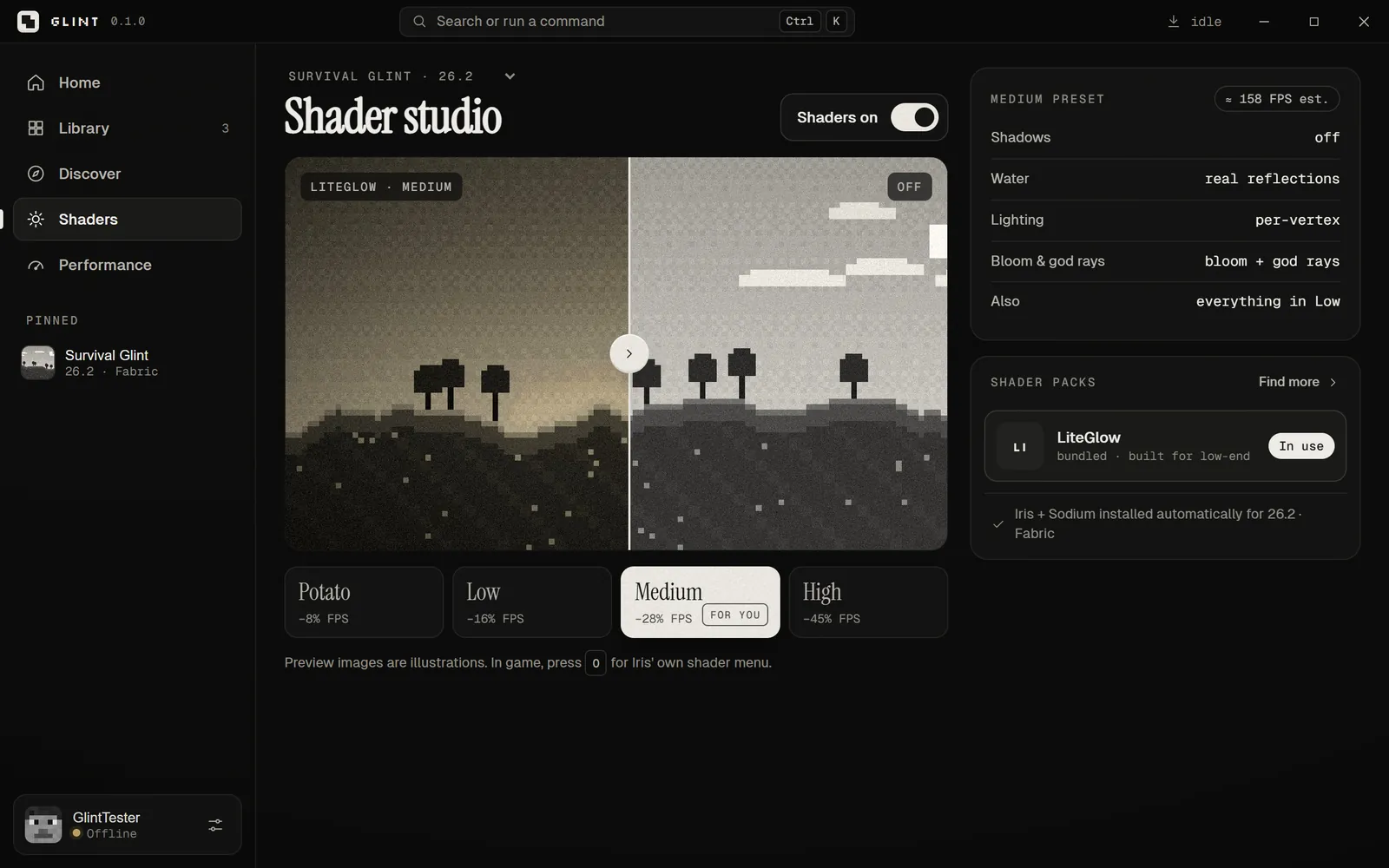
One switch: Glint installs Sodium + Iris and its own LiteGlow pack, and writes the config.

  1. Open Shaders and pick an instance (Fabric, Quilt or NeoForge).
  2. Turn shaders on. Glint installs Sodium + Iris from Modrinth, plus LiteGlow — and LiteGlow Boost where it’s compatible.
  3. Pick a quality. The one marked For you matches your tier.

In game, press O to open Iris’ own shader menu.

Glint’s shader studio with the LiteGlow pack and four quality presets

#LiteGlow presets

Glint’s own shader pack, built for integrated graphics like Intel UHD and Iris Xe.

PresetShadowsWaterBloom & god raysExtrasFPS cost
Potatooffshine onlyoffno waving plants−8%
Lowoffwaves + refractionoffwaving plants, aurora−16%
Mediumoffreal reflectionsbloom + god rayseverything in Low−28%
Highsoft, 1024 pxreal reflectionsbloom + god rays64-block shadows−45%

What each preset costs

Glint’s built-in estimate of FPS lost versus shaders off.

Potato8%Low16%Medium28%High45%
View as table
PresetEstimated FPS cost
Potato−8%
Low−16%
Medium−28%
High−45%

Source: Glint shader studio estimates

Lighting is worked out per vertex and everything runs in one post pass, which keeps it light. Shadows stay off unless you choose High.

#Other shader packs

Add any pack from Modrinth or a file.

Under Shader packs, press Find more to search Modrinth, or drop a pack’s .zip onto the window. The pack In use is marked. Heavier packs can cost far more FPS than LiteGlow on integrated graphics.

#Shaders on Forge

Iris doesn’t run on Forge.

Good to know

Make a NeoForge or Fabric instance instead, and shaders are one click away. You can copy your worlds into the new instance’s saves folder.

06 / 09

Crash Doctor

2 articles

#How Crash Doctor works

After a crash it reads the log, explains it in plain words and offers a fix.

What it foundOne-click fix
Java couldn’t get the memory it asked forLower memory by 1 GB · use Glint’s Java
The game ran out of memoryRaise memory by 1 GB · drop shaders to Potato · turn shaders off
Wrong Java versionLet Glint pick Java
Some mods don’t work togetherReview mods — the log lines involved are shown
A mod failed to loadDisable or update that mod
Your graphics driver couldn’t start OpenGLUpdate your graphics driver
The shader pack didn’t compile on this GPUTry the Potato preset · turn shaders off
The game crashed in native codeUpdate your graphics driver · turn shaders off
Anything elseOpen the full log — share it when asking for help
Tip

Each diagnosis shows the log lines it found, so you can see why it thinks so.

#Reading logs

The live log viewer shows what the game is doing as it happens.

Open an instance’s Logs tab, or press Ctrl+K and type Logs. When you ask for help, the full log is the most useful thing you can send.

07 / 09

Accounts

1 article

#Offline and Microsoft accounts

Play offline with just a username today. Microsoft sign-in is on its way.

AccountWorks for
Offline — just a usernameSingleplayer, LAN and offline-mode servers
MicrosoftOnline servers — once Microsoft approves Glint’s app
Honest note

Microsoft sign-in needs an app ID approved by Microsoft and Mojang, and Glint is still waiting. Until then, use an offline account. You still need to own Minecraft: Java Edition.

When it arrives, Microsoft sign-in uses a device code: Glint shows a code, you enter it on Microsoft’s page, and your sign-in is kept in Windows Credential Manager — never in a plain file.

08 / 09

Settings & shortcuts

4 articles

#Keyboard shortcuts

Do almost anything without the mouse.

ShortcutDoes
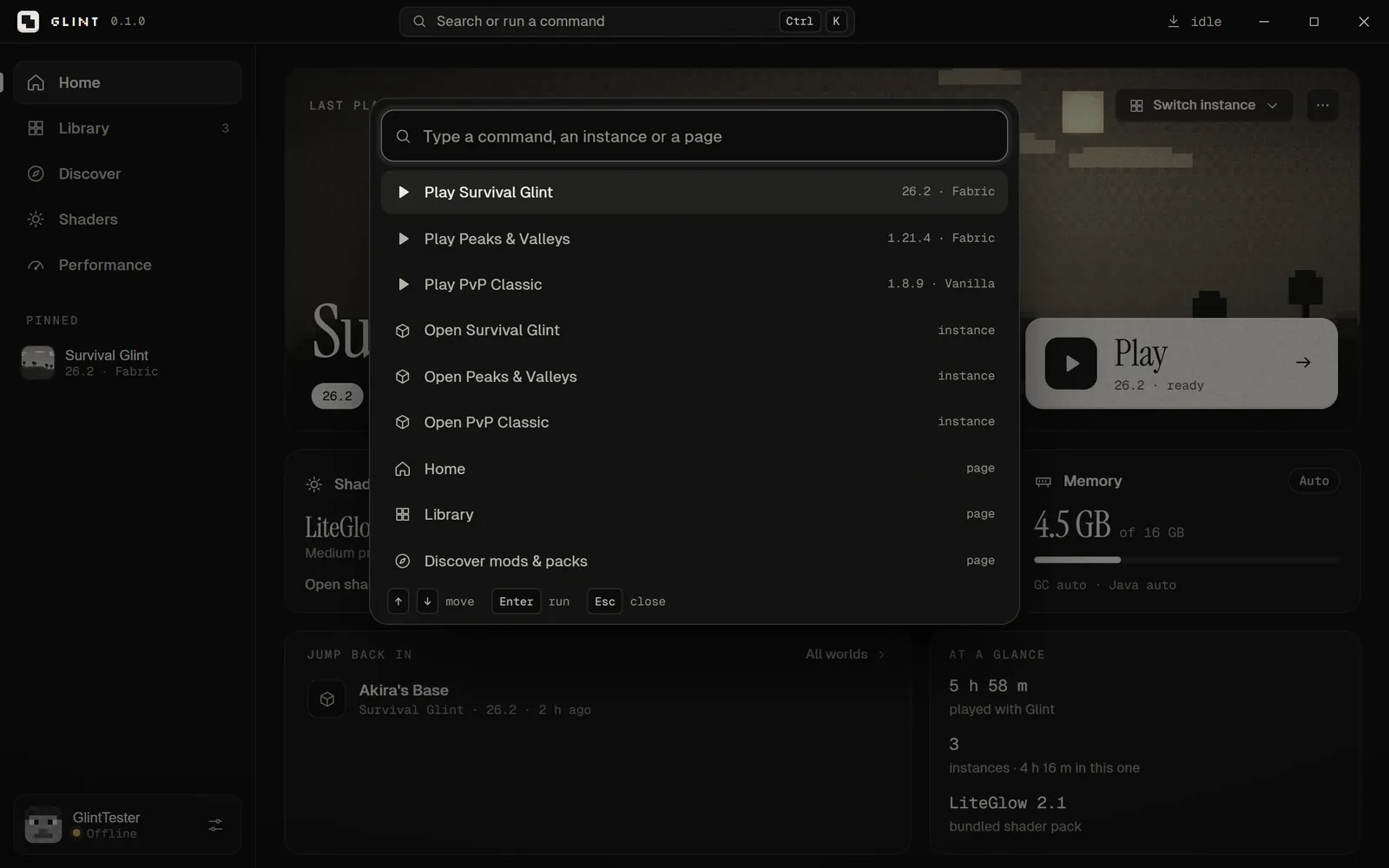
Ctrl+KOpen the command palette
Ctrl+NNew instance
O in gameIris’ shader menu

The palette can play or open any instance, jump to any page, open logs, manage accounts or open the Glint folder — just start typing.

Glint’s command palette

#Launcher settings

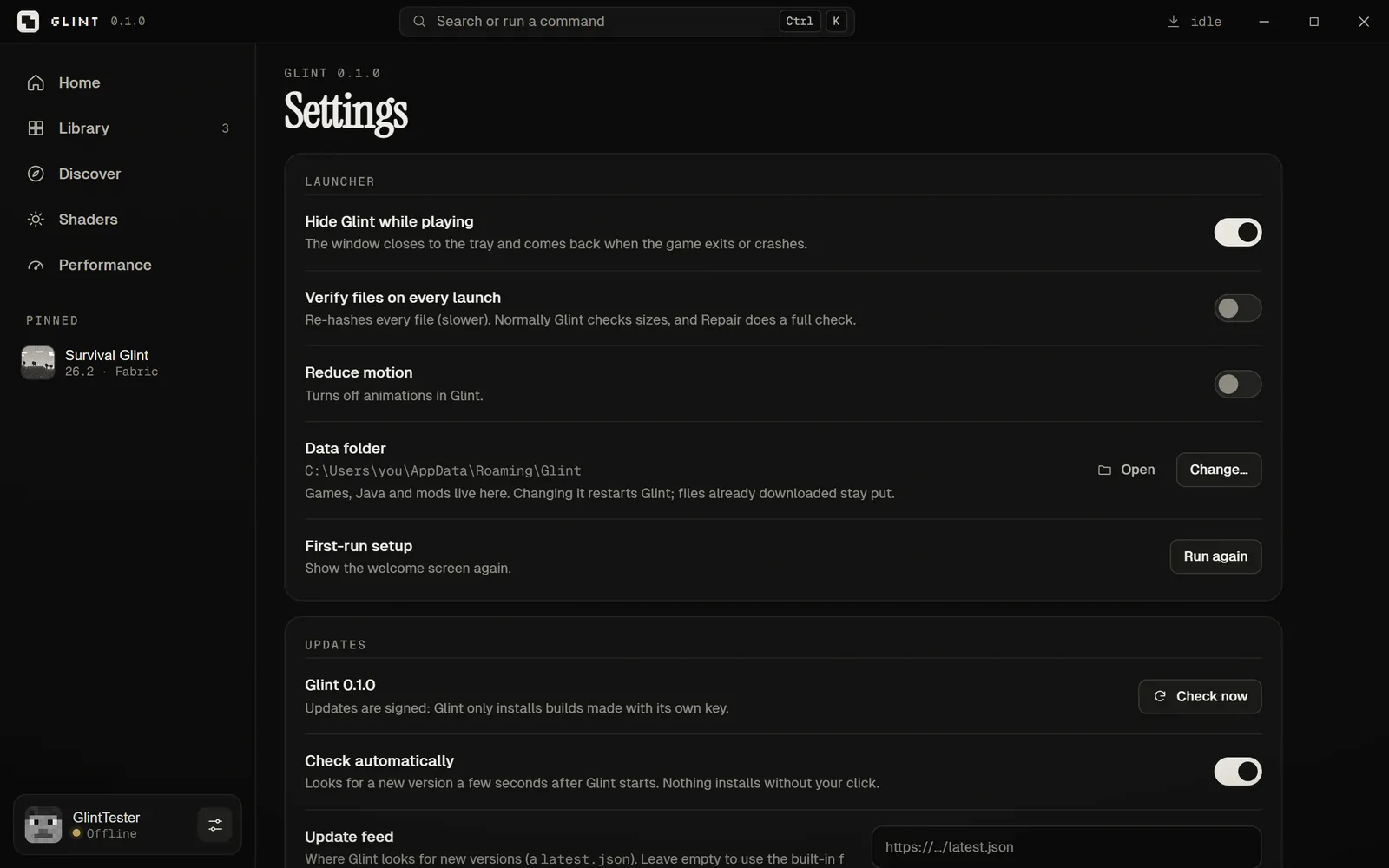
Everything under Settings, explained.

SettingWhat it does
Hide Glint while playingCloses to the tray; comes back when the game exits or crashes.
Verify files on every launchA full check every time, instead of the fast size check.
Reduce motionTurns off animations in Glint.
Data folderOpen it, or Change… to move games, Java and mods to any drive.
First-run setupShows the welcome screen again.
UpdatesLooks for a new version after start-up. Nothing installs without your click.
AdvancedA Microsoft sign-in app ID, for developers.
Glint settings

#Where your games are stored

By default in %APPDATA%\Glint — and you can move it anywhere.

Instances, worlds, Java runtimes and mods all live in Glint’s data folder. If your C: drive is nearly full, use Settings → Data folder → Change… to put everything on another drive.

#Updating Glint

During early access, get new versions from this site.

Honest note

In-app updates aren’t switched on for the public yet. When a new version is out, it’ll be in the changelog and on the Glint page — install it over the old one. Your instances and worlds stay.

09 / 09

Troubleshooting

6 articles

#“Windows protected your PC”

SmartScreen warns about apps that aren’t code-signed yet.

Choose More info → Run anyway. To be sure the file is ours, compare its SHA-256 with the one under Download and install. Code-signing is on our list before the full release.

#My antivirus blocked Glint

New, unsigned apps sometimes get flagged.

Check the file’s SHA-256 first. If it matches, allow Glint in your antivirus. If it doesn’t, delete the file and download it again — from this site only.

#The first launch is slow

It’s downloading the game, Java and mods once.

Expect about 1–3 minutes on a normal connection. Later launches only check file sizes and start in moments.

#FPS is still low

Work through these in order.

  1. Check the tier on Performance matches your PC, and that the performance pack is installed.
  2. Drop shaders to Potato, or turn them off.
  3. Lower render distance in Minecraft’s Video Settings.
  4. Plug your laptop in and use a high-performance power plan.
  5. Update your graphics driver from Intel, AMD or NVIDIA.

#I can’t join online servers

Online servers need a Microsoft account.

Offline accounts work for singleplayer, LAN and offline-mode servers only. Online servers will work once Microsoft sign-in is approved.

#Report a bug

Early access means rough edges — tell us what breaks.

Email support@vyomagroup.online with what you did, what happened, your Glint version and — if the game crashed — the log from the Logs tab.

Still stuck?

Tell us your Glint version, what you did and what happened — and attach the game log if it crashed. We read every message.