 Vyoma
VyomaThe problem safety numbers solve
End-to-end encryption locks each message so only your contact’s key can open it. But how does your phone know the key it was given is really your contact’s?
Imagine someone in the middle hands you their key while pretending to be your friend — and does the same to your friend. Both of you would be locking messages for the impostor, who reads them and passes them on. Nothing would look wrong. This is called a man-in-the-middle attack, or key substitution.
What a safety number is
A safety number is a short code worked out from both of your keys. Your phone calculates it from the keys it has; your friend’s phone does the same. If nobody tampered with anything, the two numbers are identical. If an impostor swapped a key, they won’t match.
It’s like comparing the fingerprints on a lock: you don’t need to understand the maths, just check the two are the same.
How to compare them
- In person — the best way. Open the safety number screen and check the digits, or scan each other’s QR code.
- On a call — read a few groups aloud. You know their voice, so it’s hard to fake.
- Through another trusted channel — never through the same chat you’re checking.
Once they match, mark the contact as verified. You only need to do it once — until the number changes.
Why a safety number changes
The number changes whenever either person’s keys change. Usually that’s innocent:
- They got a new phone or reinstalled the app
- They linked or removed a device
- They restored from a backup onto a new device
Your app should tell you when it happens. If you didn’t expect it — especially before sharing something sensitive — compare again first.
Safety numbers in Vero
In Vero, the safety number is derived with iterated BLAKE2b from the public identity keys of every active device on both accounts — so it also covers linked computers. Private keys never leave your devices, and Vero tells you when a safety number changes.
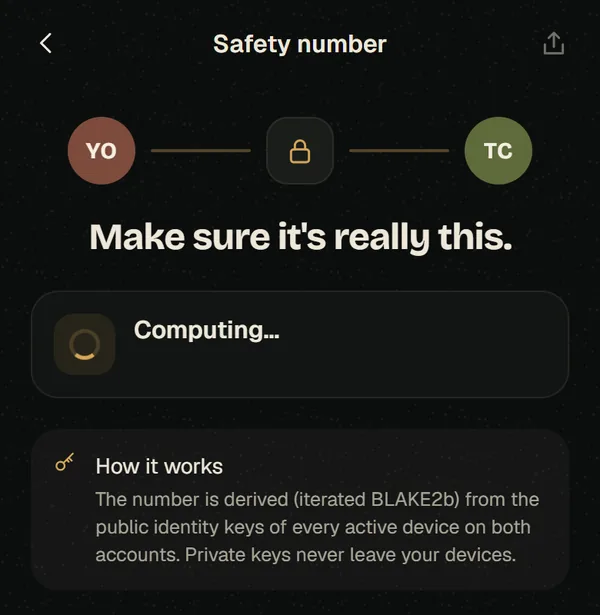
Verifying takes a minute, and you only do it once per contact. For the people you share sensitive things with, it’s worth it.

Vero Messenger
Private chats and calls, encrypted on your device.