 Vyoma
Vyoma
Why another launcher?
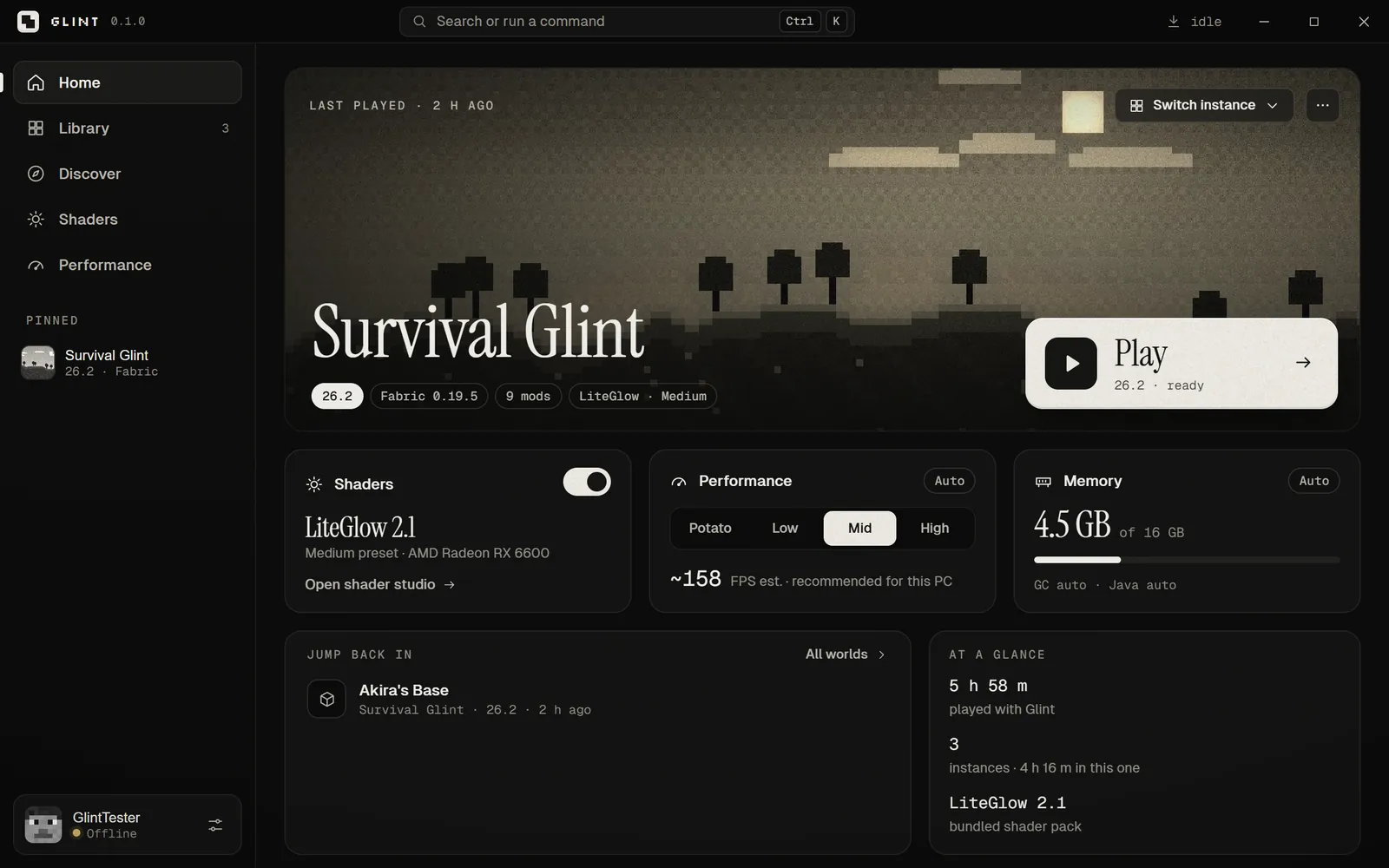
Most Minecraft players we know have the same story: the game runs, but not well. Shaders look amazing on someone else’s video and turn their own laptop into a slideshow. Fixing it means learning about Java versions, memory flags, Sodium, Iris and which mod works with which version.
Here’s the honest truth: a launcher can’t add FPS by itself once the game is running. The gains come from the right Java, the right amount of memory, good performance mods and sensible settings. Any launcher could do that. Glint just does it for you — automatically, per version, per PC.
It tunes itself
The first time you open Glint, it looks at your CPU, graphics card and RAM — no admin rights needed — and picks a tier: Potato, Low, Mid or High. That tier sets how much memory Minecraft gets, the Java flags it runs with, your starting game options and your shader quality.
- An 8 GB laptop with integrated graphics lands on Low and gets 3 GB for the game.
- A 16 GB desktop with a graphics card lands on Mid with 4 GB.
- Glint never gives Minecraft so much memory that Windows is left with less than about 2.5 GB.
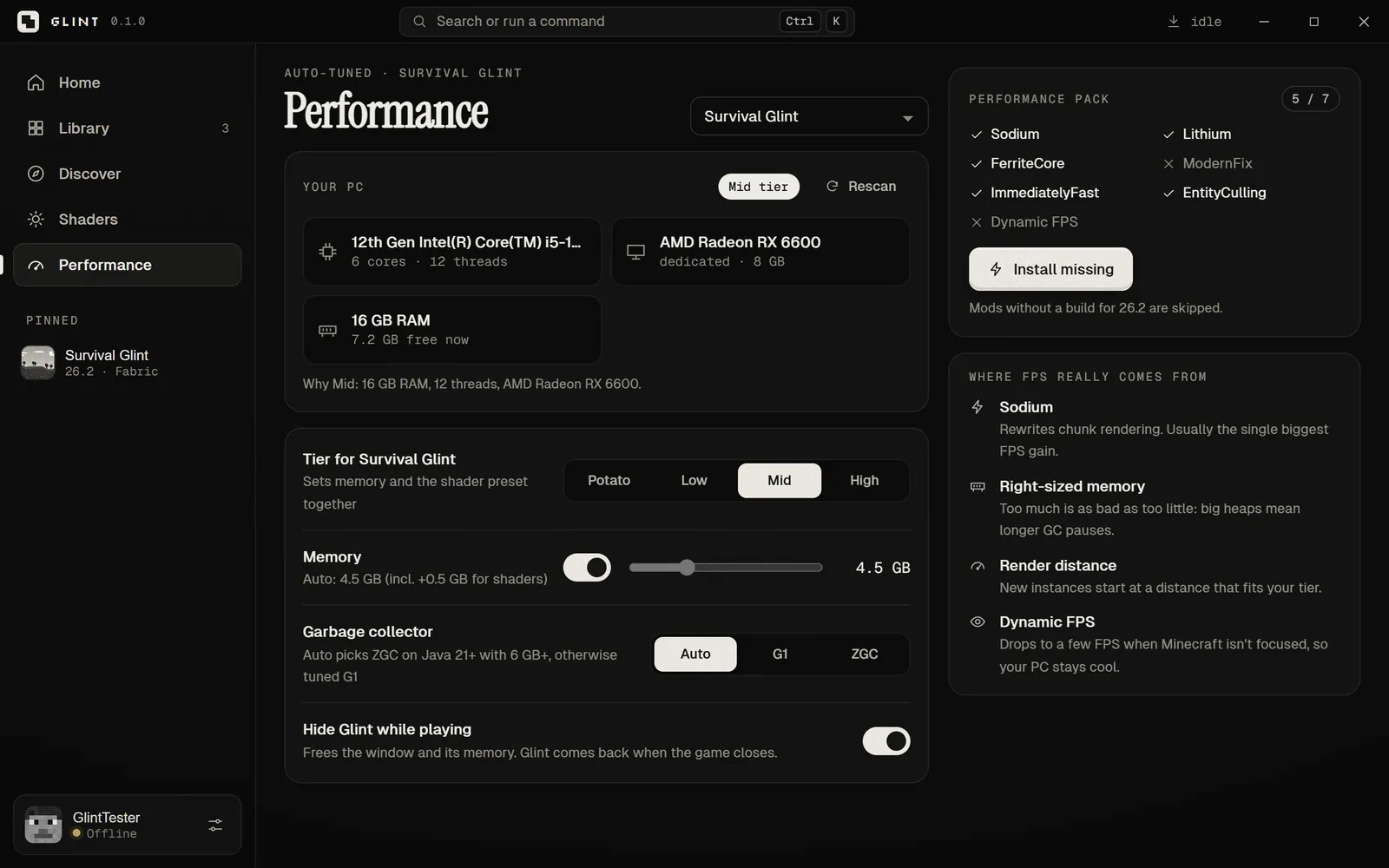
It also installs a performance pack — Sodium, Lithium, FerriteCore, ModernFix, ImmediatelyFast, EntityCulling and Dynamic FPS — skipping anything without a build for your version, and telling you so.
One-click shaders
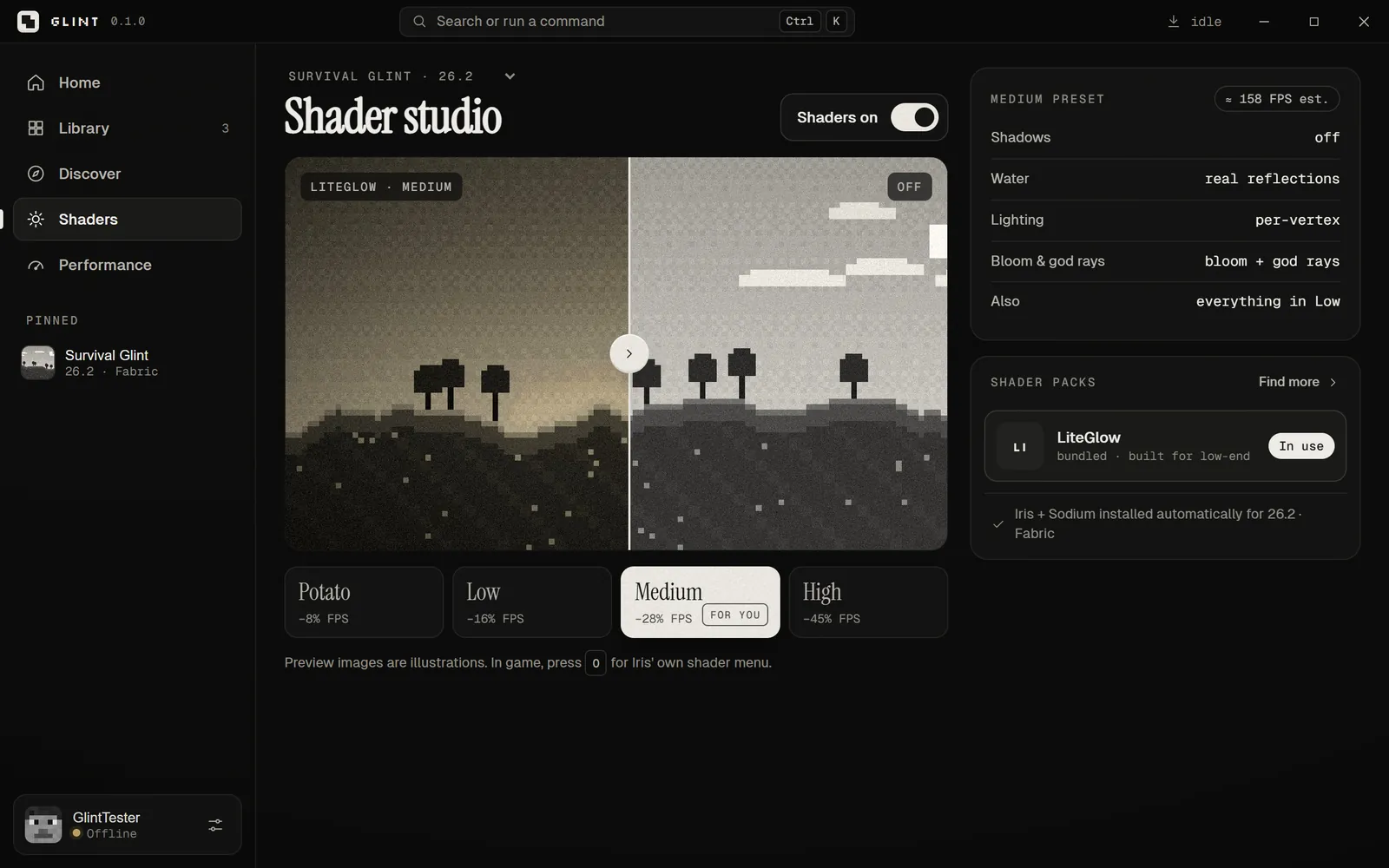
Turning shaders on in Glint is a single switch. It installs Sodium and Iris for your version, adds LiteGlow — our own shader pack, designed for integrated graphics — and writes the configuration. Four presets trade looks for speed, from Potato to High.
When things break
Modded Minecraft crashes. When it does, Glint’s Crash Doctor reads the log and tells you what happened in plain words — out of memory, the wrong Java, two mods that don’t get along, a shader that didn’t compile, a graphics driver problem. Where it can, it offers a one-click fix: more memory, the Potato preset, or shaders off.
And if files get damaged, Repair re-checks every one against its hash and fixes what’s broken.
Early access, honestly
Glint is new, and we’d rather tell you about the rough edges up front:
- Microsoft sign-in is waiting on approval. Mojang has to approve any launcher before it can sign you in. Until then, Glint’s offline profiles work for singleplayer and LAN. You need to own Minecraft: Java Edition to play.
- The installer isn’t code-signed yet, so Windows SmartScreen may warn you. You can check the file against the SHA-256 on the product page.
- Windows only for now (Windows 10 and 11, 64-bit).
- A built-in FPS benchmark and automatic updates are still to come.
Glint is not an official Minecraft product, and isn’t approved by or associated with Mojang or Microsoft.
Get Glint
After installing, Glint shows a short welcome, scans your PC and suggests a first instance. Tell us what you think — we read every message.
See every Vyoma product
Helix, DiaCare AI, Vero and Glint.